
Posts
JavaScript Closures and Modified Closures Explained
Closures show up any time a JavaScript function uses a variable defined from outside its own curly braces. That makes them common in callbacks, event handlers, timers, factory functions, and plenty of code that passes …
In this article
Closures show up any time a JavaScript function uses a variable defined from outside its own curly braces.
That makes them common in callbacks, event handlers, timers, factory functions, and plenty of code that passes functions around.
This post is about two questions:
- What is a closure?
- What happens when a closed-over variable is modified before the function uses it?
The short version:
A closure happens when a function keeps access to variables from its surrounding scope, even after that outer scope has finished running.
That sounds abstract, so let’s make it physical.
The Box Model
Think of scope like nested spaces: a yard, a house, a room, and a box.
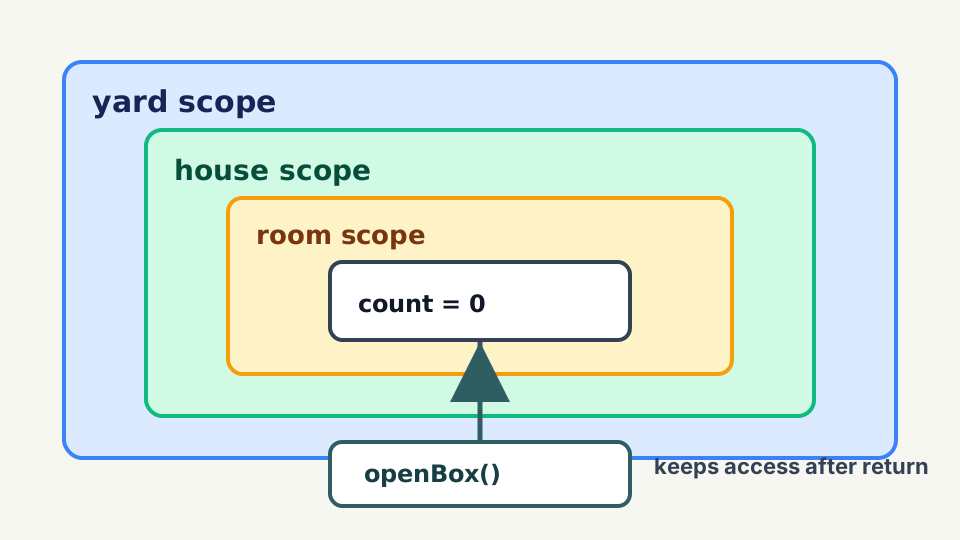
yard
+-- house
    +-- room
        +-- box
Code inside the box can look outward into the room, the house, and the yard for names it does not have locally.
Outer scopes do not automatically see inward.
A closure is what happens when a function keeps access to one of those spaces after the outer function has returned.
In plain box terms:
The function keeps a key to the box where it was created.
A Basic Closure
Imagine createBox() builds a box, puts a count inside it, and hands you back a function that can still open that box later.
function createBox() {
  let count = 0;

  return function openBox() {
    count += 1;
    return count;
  };
}

const open = createBox();

console.log(open());
// 1

console.log(open());
// 2
createBox() is done running.
But openBox() still has access to count.
That is the closure.
createBox scope
+-- count = 0
+-- openBox()
    +-- keeps access to count

after createBox() returns:

open()
+-- still reaches count
+-- updates count each time it runs
This is useful because it lets you keep state without exposing the variable directly.
The outside code can call open(), but it cannot directly change count.
That gives you a small controlled boundary, which is usually the whole point.
What Is a Modified Closure?
A modified closure problem happens when a function keeps access to a variable, but that variable changes before the function uses it.
The classic example is a loop with var.
for (var index = 0; index < 3; index += 1) {
  setTimeout(function logIndex() {
    console.log(index);
  }, 100);
}

// 3
// 3
// 3
Most people expect:
0
1
2
But all three callbacks share the same index.
By the time the callbacks run, the loop has finished and index is 3.
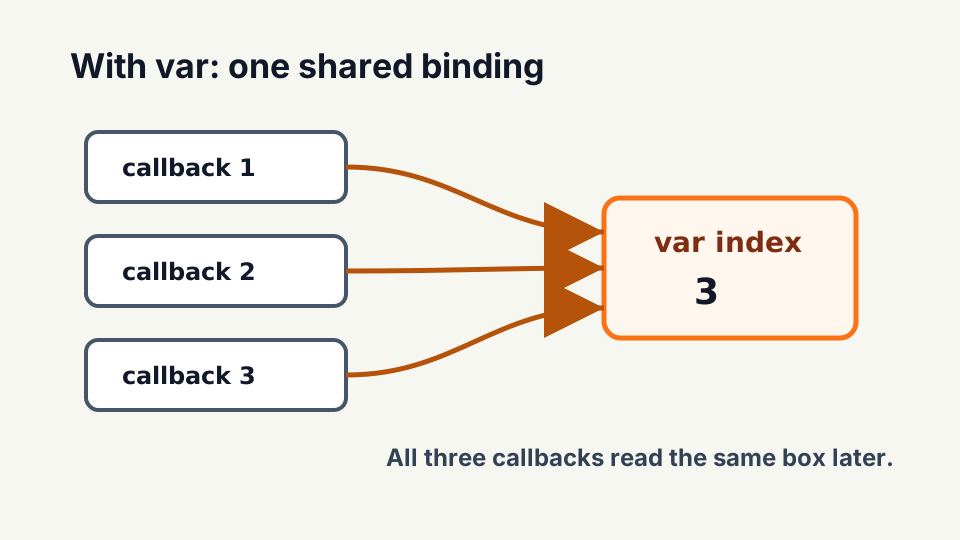
shared box
+-- index = 3
+-- callback 1 reads index
+-- callback 2 reads index
+-- callback 3 reads index
The callbacks did not each get their own box. They all kept access to the same index box.
That is the part to remember.
Avoid It With let
let creates a new binding for each loop iteration.
Using our box language, each trip through the loop gets its own index box.
for (let index = 0; index < 3; index += 1) {
  setTimeout(function logIndex() {
    console.log(index);
  }, 100);
}

// 0
// 1
// 2
Now each callback closes over its own index.
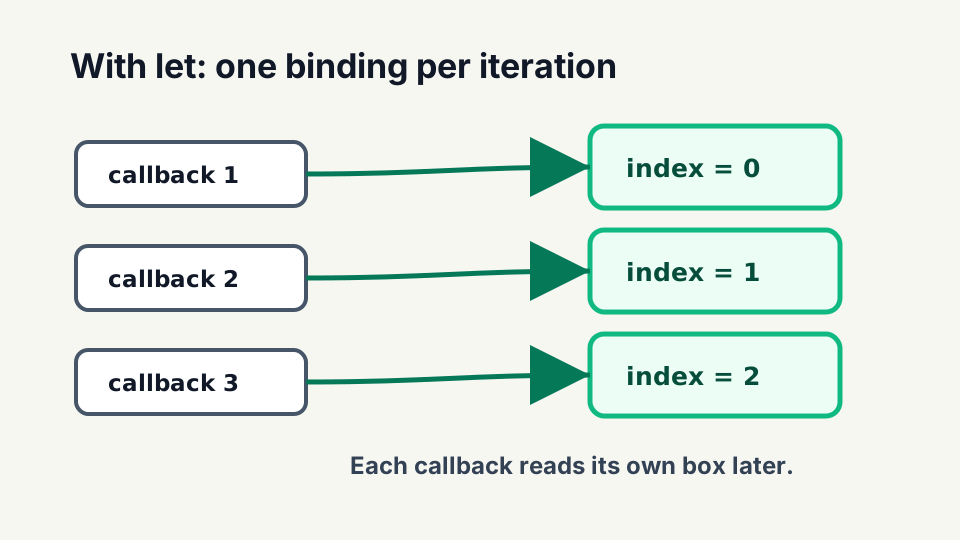
iteration 0 box -> index = 0
iteration 1 box -> index = 1
iteration 2 box -> index = 2
That is usually what you wanted in the first place.
Avoid It With Function Boundaries
Before let, developers often created a new function scope manually.
for (var index = 0; index < 3; index += 1) {
  createLogger(index);
}

function createLogger(value) {
  setTimeout(function logValue() {
    console.log(value);
  }, 100);
}

// 0
// 1
// 2
Each call to createLogger(index) creates a new value parameter.
Each callback closes over that separate value.
Different box. Different value.
The Practical Rule
Closures are not bad. They are one of the useful parts of JavaScript.
The thing to watch is shared changing state.
When a function closes over a variable, ask:
- Will this function run later?
- Can the variable change before then?
- Do multiple functions share the same variable?
- Should each function get its own binding?
If the answer is “yes” or “maybe”, slow down and make the boundary obvious.
Most of the time, let, smaller function boundaries, and clear names are enough.
Related JavaScript Posts
These topics build on each other:
- JavaScript var, let, and const Explained explains why
letfixes the classic loop closure problem. - JavaScript Hoisting Explained covers how declarations are prepared without escaping their scope.
- JavaScript Arrow Functions Explained explains how arrow functions capture lexical
this, which is closely related to closure behavior.
-Rob