
Posts
JavaScript Arrow Functions Explained
Arrow functions are compact JavaScript functions with a few deliberate differences from ordinary functions. They are excellent for small transformations and callbacks. They are not a universal replacement for function, …
In this article
Arrow functions are compact JavaScript functions with a few deliberate differences from ordinary functions.
They are excellent for small transformations and callbacks. They are not a universal replacement for function, and treating them like one hides the exact behavior that makes them useful.
Use an arrow when you want a concise function and do not need the function to define its own this, arguments, or constructor behavior.
The Basic Syntax
An ordinary function expression looks like this:
const add = function (a, b) {
  return a + b;
};
The arrow-function version is shorter:
const add = (a, b) => {
  return a + b;
};
For a single-expression body, you can omit the braces and return keyword:
const add = (a, b) => a + b;

console.log(add(2, 3));
// 5
That is an implicit return. The value of the expression becomes the return value.
Parentheses Depend on the Parameters
A single simple parameter does not require parentheses:
const double = number => number * 2;
Use parentheses for zero parameters, multiple parameters, defaults, rest parameters, or destructuring:
const getTimestamp = () => Date.now();

const multiply = (a, b) => a * b;

const greet = (name = 'friend') => `Hello, ${name}.`;

const total = (...numbers) => numbers.reduce(
  (sum, number) => sum + number,
  0
);

const getName = ({ name }) => name;
You can always include parentheses around one parameter if that is easier to scan. Consistency beats winning a punctuation-minimization contest.
Braces Change the Return Behavior
Without body braces, an arrow returns its expression:
const double = number => number * 2;
With body braces, you need an explicit return:
const double = number => {
  return number * 2;
};
This version returns undefined because the return is missing:
const double = number => {
  number * 2;
};
The braces create a block body. JavaScript will not guess which expression you meant to return.
Returning an Object Literal
An object literal also uses braces, so wrap it in parentheses when using an implicit return:
const createUser = name => ({
  name,
  active: true
});

console.log(createUser('Ada'));
// { name: 'Ada', active: true }
Without the parentheses, JavaScript parses the braces as a function body rather than the object you intended to return. Same punctuation, very different Tuesday afternoon.
Arrow Functions Work Well for Transformations
Array methods are a natural home for arrows because the callback often performs one focused operation.
const users = [
  { name: 'Ada', active: true },
  { name: 'Grace', active: false },
  { name: 'Linus', active: true }
];

const activeNames = users
  .filter(user => user.active)
  .map(user => user.name);

console.log(activeNames);
// ['Ada', 'Linus']
The arrows keep the transformation visible without wrapping each step in ceremony. If a callback grows into several branches or side effects, give it a name and a normal block body. Short syntax should support clarity, not become a dare.
Arrow Functions Capture this
This is the behavioral difference that matters most: an arrow function does not define its own this.
It captures the this value from the surrounding lexical environment where the arrow was created. An ordinary function usually receives this from how it is called.
If the call-site rules are not familiar yet, read JavaScript this Explained first. The contrast is much easier once the ordinary rules are stable.
ordinary function:
  this = determined by the call

arrow function:
  this = captured from the surrounding environment
That makes an arrow useful inside a method when a callback needs to keep the method’s receiver:
const counter = {
  count: 0,
  start() {
    setTimeout(() => {
      this.count += 1;
      console.log(this.count);
    }, 100);
  }
};

counter.start();
// 1
Here is the chain:
counter.start()suppliescounterasthisinsidestart.- The arrow is created inside
start. - The arrow captures that surrounding
thisvalue. - The timer invokes the callback later, but the arrow keeps the captured value.
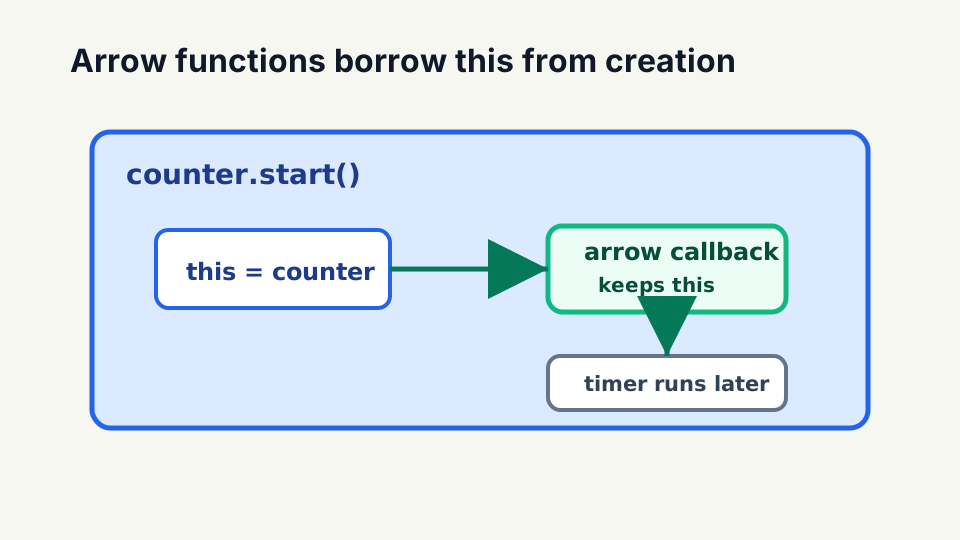
counter.start()
+-- this = counter
    +-- arrow callback
        +-- captures the same this
The arrow does not somehow know about counter. It closes over the this value that start already received.
Do Not Use an Arrow When a Method Needs Its Receiver
The same lexical behavior becomes a problem when you expect an object property to receive the object as this:
const user = {
  name: 'Ada',
  sayName: () => {
    console.log(this.name);
  }
};

user.sayName();
// not Ada
Calling user.sayName() does not rebind an arrow’s this. The arrow captured this from the environment outside the object literal.
Use method syntax when the function needs the calling object:
const user = {
  name: 'Ada',
  sayName() {
    console.log(this.name);
  }
};

user.sayName();
// Ada
The practical rule is narrower than “never use arrows as properties.” Use an ordinary method when you need a dynamic receiver. Use an arrow when lexical capture is intentional.
call, apply, and bind Cannot Replace an Arrow’s this
Those methods can select this for ordinary functions. They cannot override the lexical this captured by an arrow.
const context = { name: 'Ada' };

const ordinary = function () {
  return this.name;
};

const arrow = () => this?.name;

console.log(ordinary.call(context));
// Ada

console.log(arrow.call(context));
// not Ada
call still passes arguments to the arrow, but its first argument does not become the arrow’s this.
Arrow Functions Do Not Have arguments
An ordinary non-arrow function receives an arguments object:
function countArguments() {
  return arguments.length;
}

console.log(countArguments('a', 'b', 'c'));
// 3
An arrow does not define its own arguments. Use a rest parameter instead:
const countArguments = (...values) => values.length;

console.log(countArguments('a', 'b', 'c'));
// 3
Rest parameters are clearer anyway: they create a real array and make the collected values part of the function signature.
Arrow Functions Are Not Constructors
You cannot call an arrow function with new:
const User = name => {
  this.name = name;
};

new User('Ada');
// TypeError: User is not a constructor
Arrow functions do not have the constructor behavior or prototype property used by constructable functions. Use a class or an ordinary function when you need construction.
The Practical Rule
Use an arrow function when:
- the function is a small callback or transformation
- an implicit return makes the result clearer
- you intentionally want lexical
this - a rest parameter can express the inputs you need
Use an ordinary function or method when:
- the call-site should decide
this - the function must be used with
new - you specifically need an ordinary function’s
arguments - a named function declaration would make a larger operation easier to understand or debug
Arrow functions are not “modern functions” replacing the old model. They are functions with a different set of constraints. Those constraints are the feature.
Related JavaScript Posts
- JavaScript
thisExplained covers receiver selection for ordinary functions in detail. - JavaScript Closures and Modified Closures Explained explains the lexical capture behavior arrows rely on.
- JavaScript Function Parameters and Arguments Explained covers defaults, rest parameters, and the values supplied by a call.
-Rob